
Generate shipping labels, sync tracking, and offer same-day, standard, and carrier rates at checkout — all from inside your Shopify admin. Free to install, set up in minutes.
Connect your Weels account and let the app handle everything.
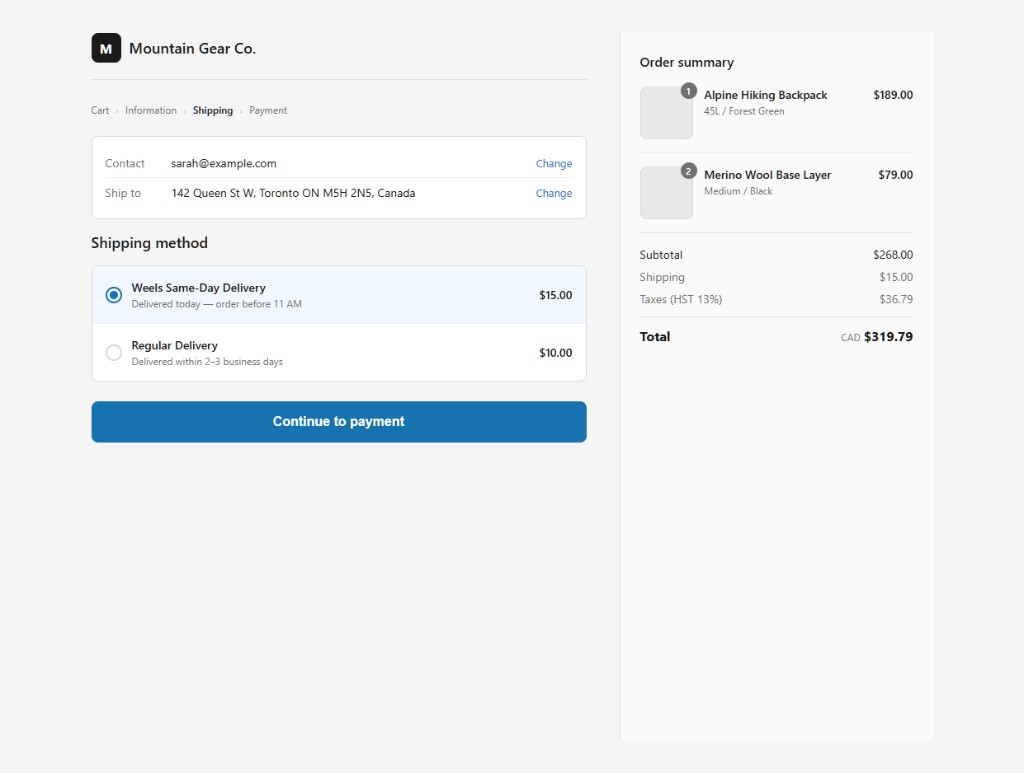
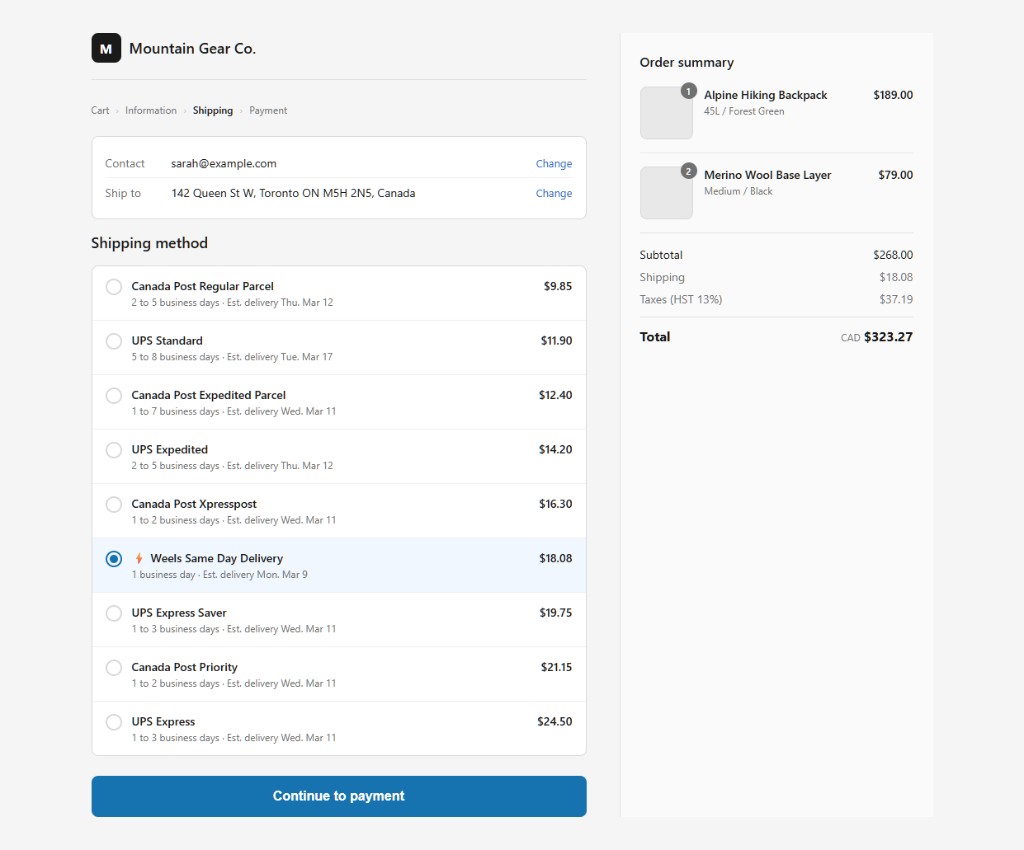
Your customer checks out on Shopify and picks a shipping option — same-day delivery, standard shipping, or a carrier rate like Canada Post or UPS.
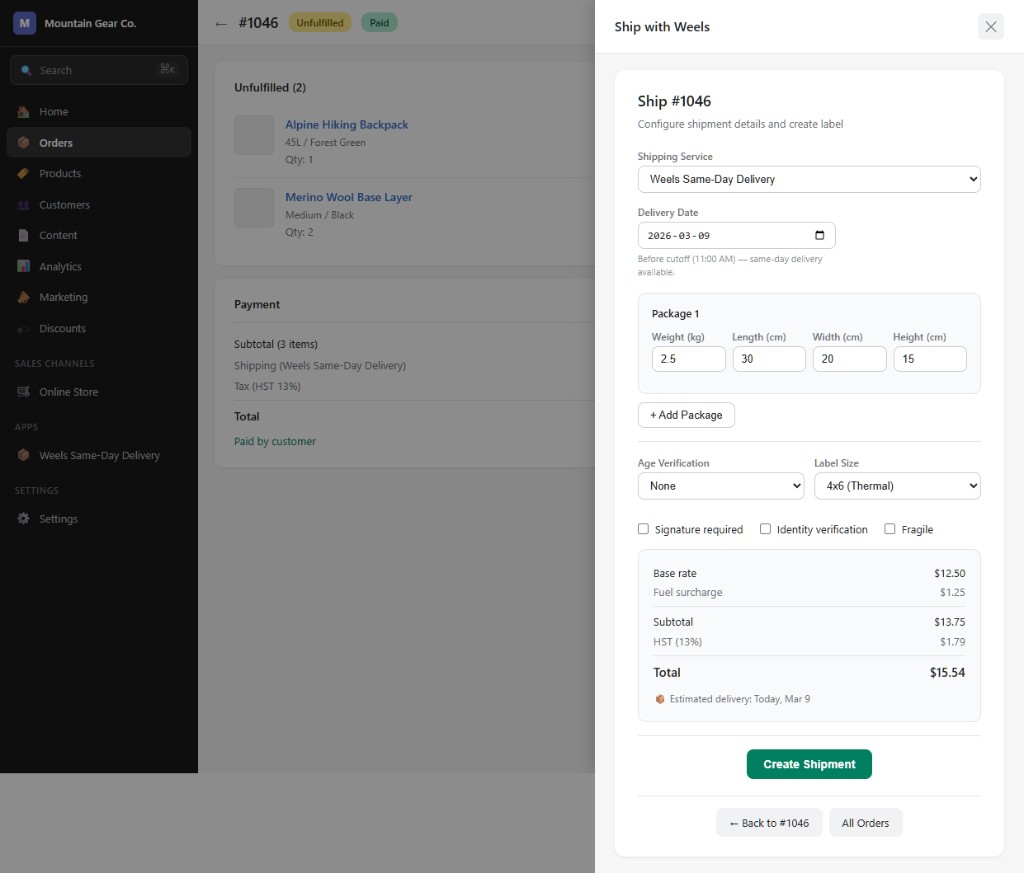
When the order is paid, a shipping label is generated instantly. Or click one button to generate it manually.
A tracking number and URL are pushed back to Shopify. Your customer is notified and can track live.
Toggle auto-fulfill on and labels are created the moment an order is paid. No manual steps, no delays.
Tracking numbers, URLs, and fulfillment status sync back to Shopify automatically. Customers stay in the loop.
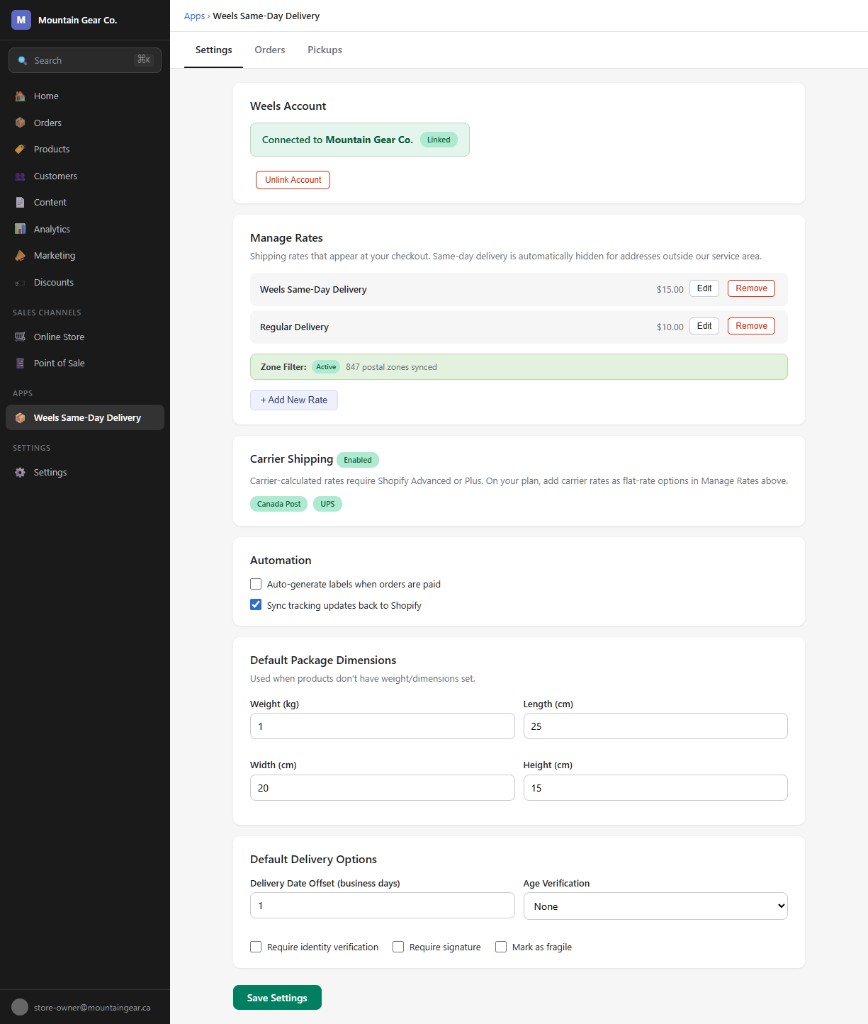
Offer same-day delivery, standard, and express flat rates on any Shopify plan. On Advanced or Plus, rates are calculated in real time.
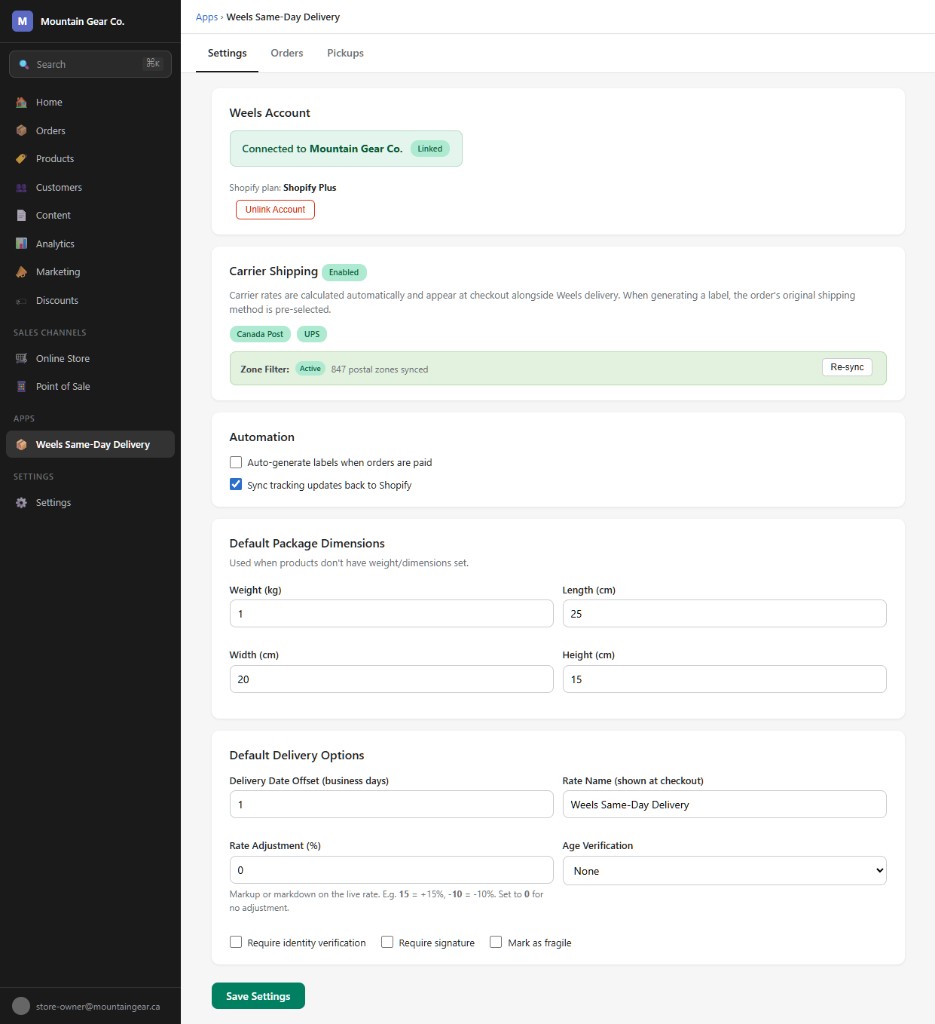
Enable carrier shipping to offer Canada Post and UPS options. On Advanced/Plus, rates are live at checkout. On Basic/Grow, add them as flat rates. Label generation always uses live carrier pricing.
Government-compliant age verification (18+, 19+, 21+) at the door. Perfect for alcohol, cannabis, and regulated goods.
Require a digital signature for high-value items. Captured on the driver’s device, stored as proof of delivery.
Made a mistake? Void a label and regenerate it in one click. Prepaid credits are refunded automatically.
The Weels app lives inside your Shopify admin. No switching between tabs or logging into another dashboard.
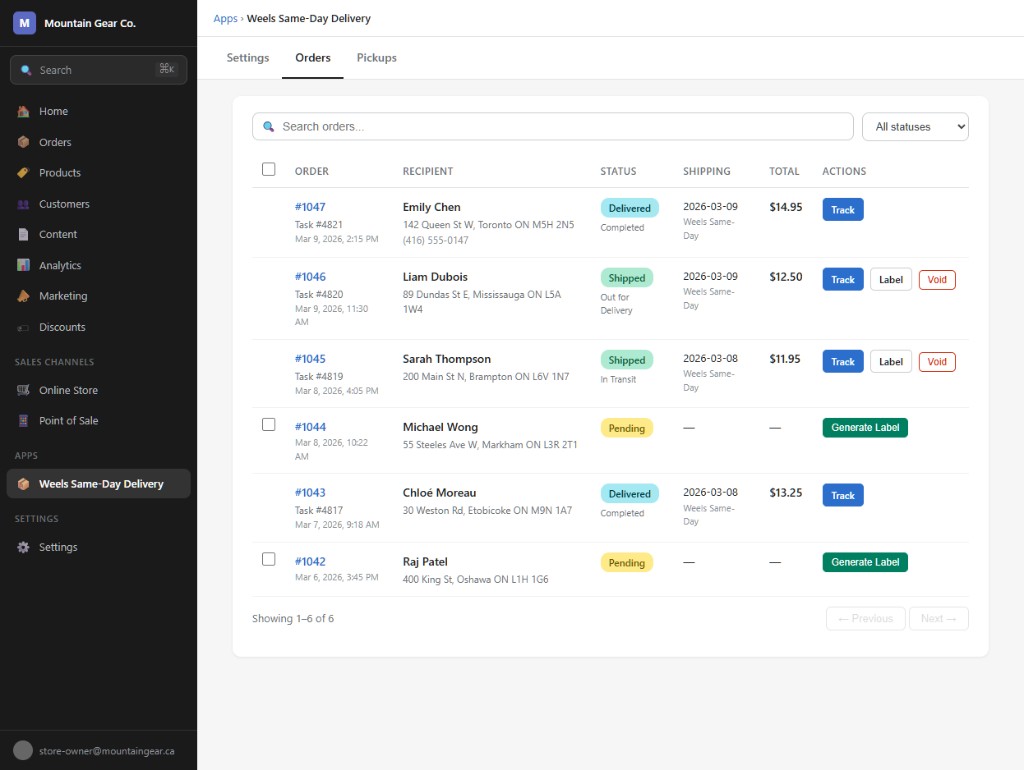
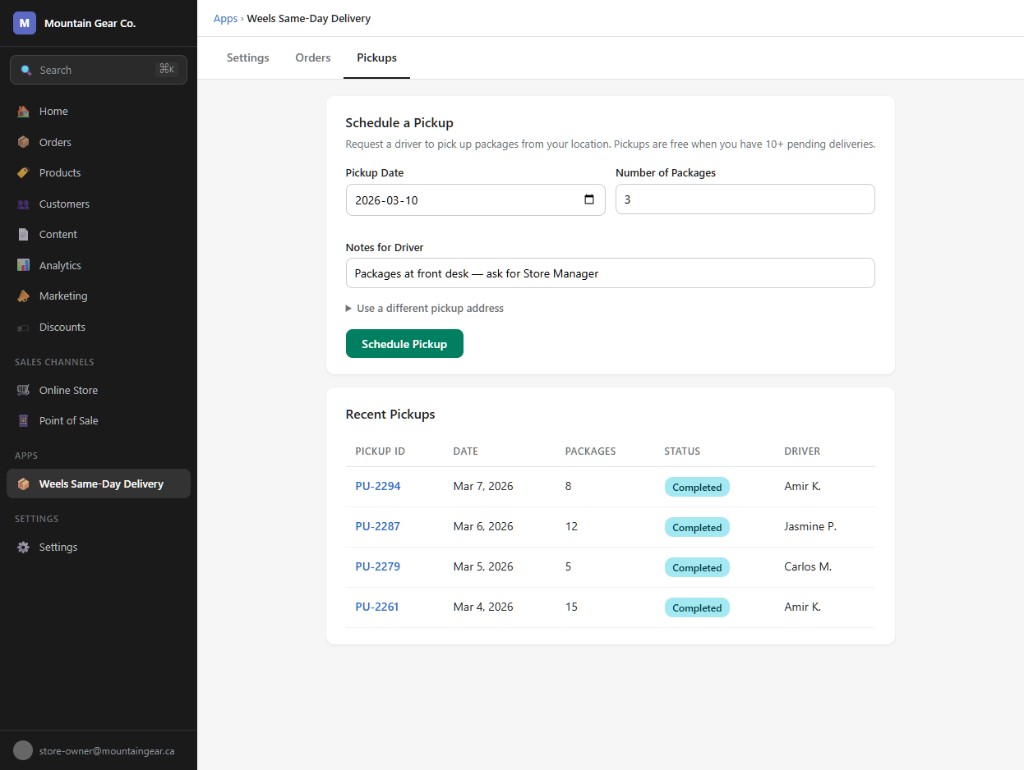
View, generate, print, void
Rates, carriers, automation
Schedule driver pickups
Auto-sync back to Shopify
No code, no development time. Just connect and ship.
Sign up at weels.ca/get-started, create an organization, and add a payment method.
Search for "Weels Same-Day Delivery" in the Shopify App Store and click Install. Authorize the requested permissions.
Open the app in Shopify admin, go to Settings, and paste your Weels API key. Find it at weels.ca/account → your organization → API & Integrations.
Set auto-fulfill, default package dimensions, age verification, and signature requirements. Add same-day and standard shipping rates, or enable Canada Post and UPS carrier shipping.
That’s it. When orders come in, labels are generated automatically (or with one click) and tracking syncs back to Shopify.
No monthly fees, no minimums, no contracts.
Billing goes through your Weels account — not Shopify. Use prepaid credits with auto top-up, or get invoiced weekly. Volume discounts available for 50+ packages/month.
No. Label generation, fulfillment, and shipping rates work on every Shopify plan. The way rates appear at checkout depends on your plan:
Carrier shipping (Canada Post, UPS) can be enabled on any plan. On Advanced/Plus, carrier rates are calculated automatically at checkout. On Basic/Grow, add them as flat rates through the app — you still get live carrier pricing when generating labels.
It depends on your Shopify plan:
For addresses outside our service area, the same-day rate is automatically hidden at checkout so customers only see options you can fulfill.
We deliver across the Greater Toronto Area and surrounding regions — over 230 postal codes. Check our service area for full coverage.
Yes, as long as the package hasn’t been picked up by a driver. Voiding refunds prepaid credits automatically, and you can regenerate a new label if needed.
Billing goes through your Weels account, not through Shopify. You can use prepaid credits with auto top-up, or get invoiced weekly. Add a payment method at weels.ca/account.
Failed deliveries are flagged in both the Weels app and your Shopify admin. You can reattempt delivery or void the label for a credit refund.
Yes. Enable built-in Canada Post and UPS integration through the Weels app. On Advanced/Plus plans, carrier rates appear at checkout automatically. On Basic/Grow, add them as flat rates with one click. Either way, you get live carrier pricing and label generation when fulfilling orders. Your existing carriers continue to work as before too.