
Generate shipping labels, show live rates at checkout, and sync tracking — all from your WordPress admin. Free plugin, set up in minutes.
Install the plugin, enter your API key, and start shipping.
Your customer checks out and sees live Weels delivery rates alongside your other shipping options.
When the order is paid, a shipping label is created automatically. Or generate it manually from the order page.
A tracking link is added to the order notes. Your customer can track their package in real time.
Customers see real-time Weels delivery rates during checkout automatically — no manual price entry or shipping zone configuration needed.
See the full cost breakdown — base rate, surcharges, discounts, tax, and total — before generating a label. No surprises.
Toggle auto-fulfill on and labels are created the moment an order is paid. Or preview the rate and generate manually with one click.
Choose between Weels same-day delivery, Canada Post, and UPS on each order. Compare rates side by side and pick the best option.
Age verification (18+/19+/21+), identity verification, digital signature, and fragile handling — set defaults globally or override per order.
See your credit balance before generating a label. Low on credits? Top up instantly from the order page using your saved payment card.
Configure a same-day cutoff time (up to 11 AM). Orders after cutoff default to next business day. Adjust the delivery date per order as needed.
Made a mistake? Void a label and regenerate it from the order page. Prepaid credits are refunded automatically.
The Weels plugin adds a settings page and an order meta box directly into your WordPress admin. No external dashboard required.
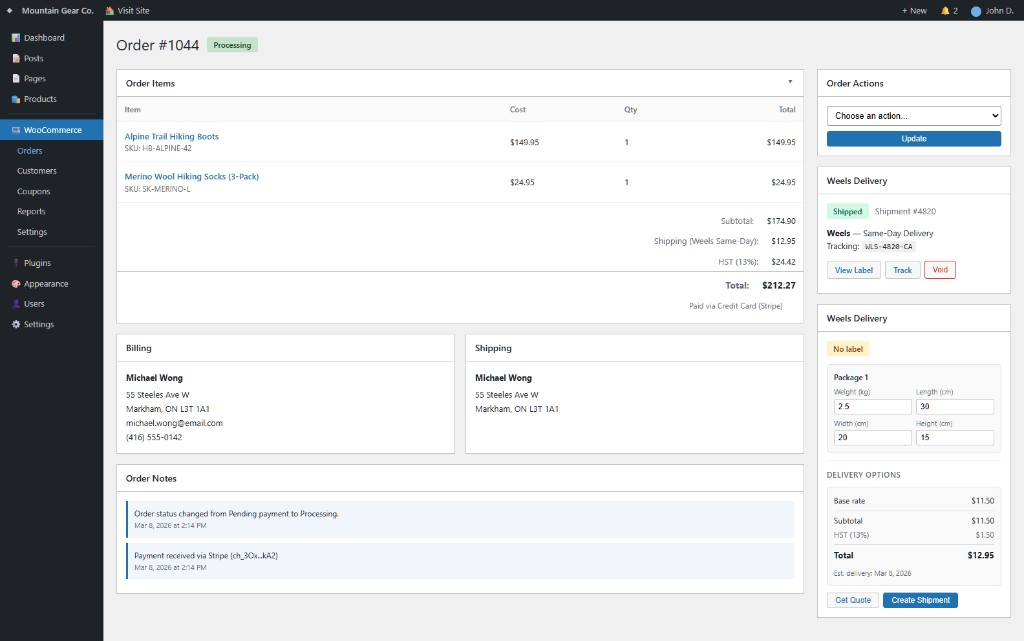
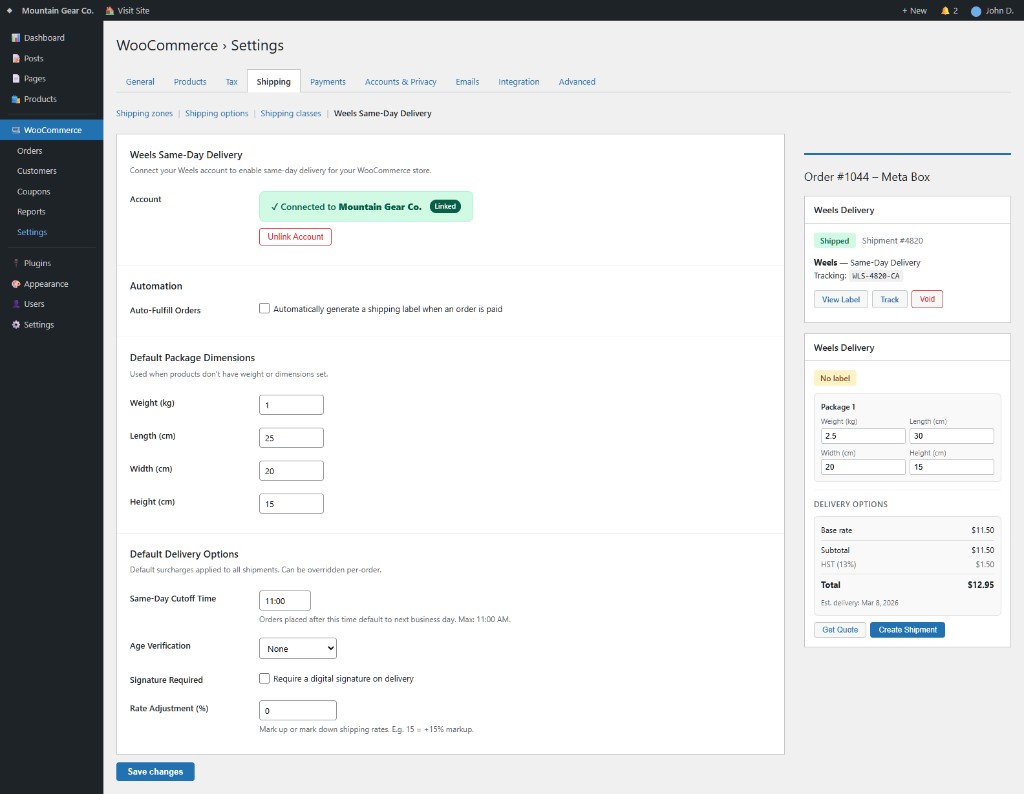
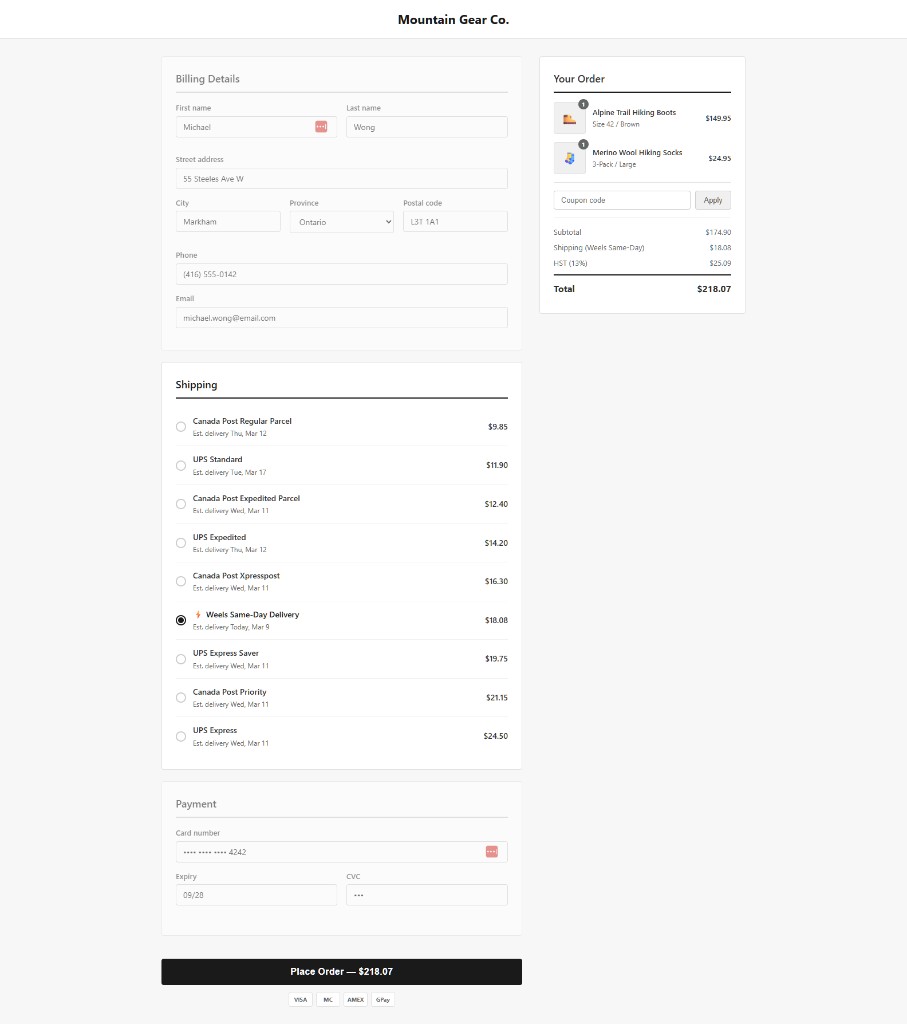
Quote, generate, track, void
API key, defaults, automation
Live rates for customers
No coding required. Just install, configure, and ship.
Sign up at weels.ca/get-started, create an organization, and add a payment method. Then grab your API key from Organization → API & Integrations.
In your WordPress admin go to Plugins → Add New and search for “Weels Same-Day Delivery”. Click Install Now, then Activate.
Go to WooCommerce → Settings → Shipping → Weels Same-Day Delivery. Paste your API key and click Save changes. You’ll see a green “Connected” card with your organization name.
Set your default package dimensions, delivery options, and cutoff time. Weels rates appear at checkout automatically. When orders come in, preview the rate breakdown and generate a label with one click.
No monthly fees, no minimums, no contracts.
Billing goes through your Weels account. Use prepaid credits with auto top-up, or get invoiced weekly. Volume discounts available for 50+ packages/month.
The plugin requires WordPress 6.0+ and WooCommerce 7.0+. It’s tested up to WordPress 6.9 and WooCommerce 10.5.
We deliver across the Greater Toronto Area and surrounding regions — over 230 postal codes in Ontario. Check our service area for full coverage.
Yes. Once you connect your API key, customers see live Weels rates at checkout automatically based on their postal code.
Yes. In the plugin settings, use the Rate Adjustment field to mark up or mark down the Weels rate by a percentage before it’s shown at checkout.
Yes, from the order page. Click Void and your credits are refunded automatically. You can then regenerate a new label if needed.
Billing goes through your Weels account, not through WordPress. Use prepaid credits with auto top-up, or get invoiced weekly. You can also top up directly from the order page when your balance is low.
Absolutely. Weels appears as an additional shipping option. Your existing methods (flat rate, free shipping, etc.) continue to work alongside it. You can also choose between Weels, Canada Post, and UPS per order.